

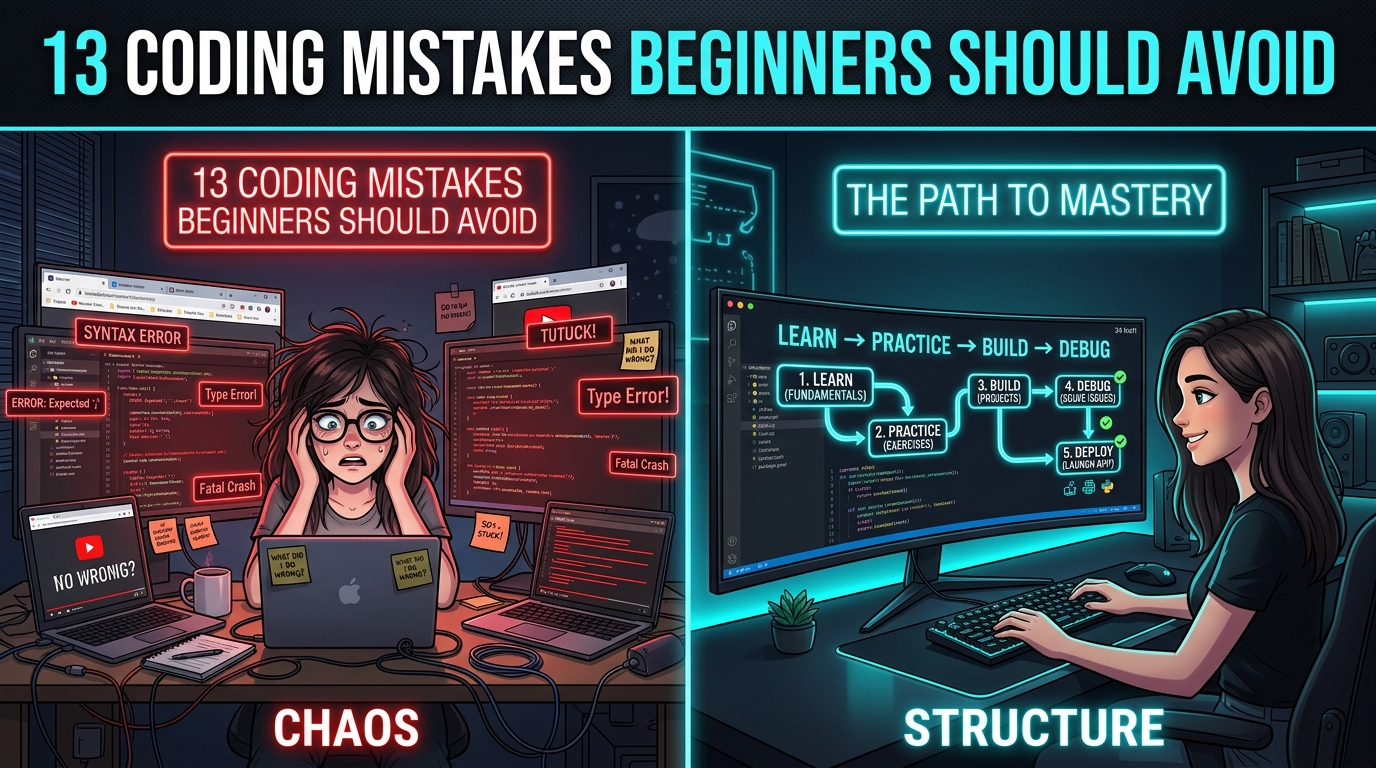
Learning to code is one of the most rewarding decisions you can make for your career, but when you are starting completely from scratch, it can also feel intensely overwhelming. With hundreds of programming languages, conflicting roadmaps, infinite YouTube tutorials, coding bootcamps, and documentation pages, beginners often spend more energy stressing over what to learn than actually writing code.
The comforting truth is this: most beginners who struggle or give up do not fail because they lack the intellectual aptitude to code. They fail because of ineffective learning habits, unstructured roadmaps, and psychological traps.
From jumping between languages every three weeks and binge-watching tutorials without touching a keyboard, to copy-pasting AI-generated code blindly, these recurring mistakes slow down progress and make programming feel ten times harder than it actually is. In this definitive guide, we analyze the 13 most destructive coding mistakes beginners make, explain the cognitive science behind why they happen, provide a field-tested 90-day learning roadmap, and share a practical checklist to help you build unshakeable coding fundamentals.
🎁 Download Free: Beginner Coding Mistakes Checklist — 25 Pitfalls to Avoid
Don't let common beginner mistakes derail your coding journey. Download our free 7-page PDF checklist featuring 25 mistakes with actionable fixes, a 90-day beginner coding roadmap, project ideas, and a job-readiness audit.
Why Do Beginners Struggle to Learn Coding?
Before examining individual mistakes, it helps to understand why programming feels uniquely difficult in the first month:
1. Information Overload
A simple search yields Python, JavaScript, Java, C++, React, Docker, Kubernetes, SQL, NoSQL, and AI. Beginners try to digest everything simultaneously, resulting in cognitive paralysis.
2. The Illusion of Competence
Watching an instructor code a sleek React app makes sense in real time, but opening an empty code editor triggers immediate panic because no independent problem-solving muscles were exercised.
3. Unrealistic Time Horizons
Social media promotes misleading "Become a 20 LPA Software Engineer in 30 Days" narratives. When week four feels hard, learners mistakenly conclude they aren't "cut out for coding."
Mistake #1: Trying to Learn Too Many Programming Languages
One of the most widespread traps is language-hopping. A beginner spends two weeks studying Python, reads an article praising JavaScript, switches to React, sees a high Java salary posting, switches to Spring Boot, and ends up knowing the first five chapters of four different languages without the ability to build a single real project in any of them.
What to do instead: Pick one language aligned with your immediate goal and commit to it for at least 3 to 6 months:
- For Web Development & Full Stack: JavaScript / TypeScript
- For AI, Data Science & Automation: Python
- For Enterprise Banking & High-Throughput Backends: Java or C#
Once you master core programming fundamentals (control flow, data structures, OOP, API calls) in one language, learning your second language takes only 2 to 3 weeks because 90% of the underlying computer science concepts are identical.
Mistake #2: Watching Tutorials Without Practicing (Passive Consumption)
Programming is an active motor and cognitive skill, closer to playing the piano or swimming than watching a movie. You cannot learn to play guitar by watching 40 hours of concert footage; you must put your fingers on the strings. Similarly, passively watching an instructor code without typing, breaking, and debugging the code yourself creates zero neuroplastic retention.
🎯 The 3:1 Practice-to-Video Ratio
For every 20 minutes of tutorial video you watch, spend at least 60 minutes actively writing code, modifying variables, intentionally breaking functions, and rebuilding the feature from memory without looking at the instructor's screen.
Mistake #3: Getting Stuck in "Tutorial Hell"
Tutorial hell is the psychological state where a learner completes course after course, collects completion certificates, but freezes in terror whenever faced with a blank file in VS Code. It happens because tutorials remove all friction: the instructor has already solved the architectural decisions, fixed the bugs, and organized the folder structure.
How to escape tutorial hell: Stop searching for "the best complete course." Pick a tiny, non-revolutionary project (a simple CLI quiz game, an expense tracker, or a weather dashboard) and build it without a video guide. Use official documentation, Stack Overflow, and error logs when you get stuck. The struggle is the learning.
Mistake #4: Skipping Programming Fundamentals
Many beginners want to skip the "boring basics" (loops, functions, arrays, objects, scope) and jump directly into high-level frameworks like React, Next.js, or Django. This backfires immediately: when React throws a state update error or a hook dependency warning, the learner cannot tell if it is a React bug or a basic JavaScript closure misunderstanding.
Frameworks change every two years, but foundational programming concepts — variables, control structures, algorithmic time complexity, memory references, and object-oriented design — remain relevant for your entire 30-year career.
Mistake #5: Copying Code Without Understanding It
In the modern era of Stack Overflow and AI coding assistants like ChatGPT and GitHub Copilot, copy-pasting code has never been easier. While using AI to explain complex concepts is fantastic, blindly copying blocks of code into your project without line-by-line comprehension destroys your problem-solving capacity.
💡 The "Line-by-Line Defense" Rule
Never paste a single line of AI-generated or copied code into your repository unless you can verbally explain what every keyword, parameter, and function call accomplishes. If you cannot explain it to an imaginary teammate, you do not understand it.
Mistake #6: Avoiding Errors and Panicking Over Debugging
Beginners often internalize red error messages in the terminal as personal failure, thinking: "My code threw an error, so I'm not smart enough for this."
In reality, professional software engineers spend 70% of their daily working hours reading errors, investigating logs, and debugging code. Errors are not proof of inadequacy; they are the computer giving you precise diagnostic hints.
1. Read the error message carefully (do not ignore the text).
2. Identify the exact file name and line number.
3. Inspect what operation failed (e.g. Cannot read property of undefined).
4. Place a console log or debugger breakpoint right before the failing line.
5. Test a single fix, re-run, and verify the outcome.
Mistake #7: Not Building Real Projects
Building 20 calculator clones does not prepare you for software engineering. Real-world applications require you to manage state, handle network latency, validate user inputs, catch edge cases, and persist data to a database. Follow this progressive project hierarchy:
Mistake #8: Comparing Your Learning Speed With Others
Social media is saturated with claims like "How I learned React in 10 days and landed a 15 LPA job." Comparing your month two to someone else's highlight reel produces imposter syndrome. You don't know if that person previously coded for three years in college, had a mentor sitting beside them, or exaggerated their timeline for YouTube clicks.
The only valid comparison metric is: "Can I build something today that I couldn't build 30 days ago?"
Mistake #9: Ignoring Git and GitHub
Many beginners write code for six months without ever touching Git, planning to "learn Git later when applying for jobs." This is a critical error. Version control is not just a job requirement; it is your safety net. Git lets you roll back bugs, experiment fearlessly on feature branches, and demonstrate proof of consistent work to recruiters through your commit history.
Mistake #10: Learning Too Many Frameworks Too Early
A student learns basic HTML and CSS, immediately downloads React, then hears about Next.js, installs Angular, tries Vue, and glances at Svelte. This generates broad, paper-thin familiarity without deep problem-solving capacity. Stick with one core framework until you can build an application from scratch before exploring alternatives.
Mistake #11: Ignoring Databases and SQL
Many aspiring full-stack engineers spend 95% of their time tweaking CSS button gradients and 5% on data. Yet in commercial software engineering, data is everything. Understanding relational database design, SQL queries, table joins, foreign keys, and indexing separates amateur hobbyists from professional developers.
Mistake #12: Starting Interview Preparation Too Late
Do not wait until the day after you finish your portfolio to begin preparing for technical interviews. Developing technical communication, explaining your project architecture, solving basic data structure problems, and discussing trade-offs should be practiced weekly throughout your learning journey.
Mistake #13: Expecting to Become Job-Ready in a Few Weeks
Software engineering is a high-skill professional craft, comparable to accounting, nursing, or engineering. Nobody expects to become a surgeon in six weeks. Expecting to master programming in a month creates artificial panic. Embrace the reality that building true competence takes 4 to 6 months of deliberate, consistent practice.
The 90-Day Coding Learning Roadmap for Beginners
| Timeframe | Primary Learning Focus | Tangible Milestone Deliverables |
|---|---|---|
| Days 1–30 | Core Programming Fundamentals, Data Types, Control Flow, Functions, Basic Problem Solving | 3–4 console-based problem solving tools & interactive logic calculators |
| Days 31–60 | HTML5, Modern CSS (Flexbox/Grid), DOM Manipulation, Fetch API, Git & GitHub | Interactive Weather Application & Task Manager persisting to localStorage |
| Days 61–90 | Component-Based Framework (React) or Backend APIs (FastAPI/Node), SQL Database, Deployment | Production-grade Full-Stack Application deployed to live cloud URL with GitHub README |
Beginner Coding Checklist: Measure Your Progress
Programming Fundamentals
- Can I write functions and loops without tutorials?
- Do I understand arrays and key-value objects?
- Can I read a stack trace to locate error line numbers?
- Do I write descriptive variable and function names?
Real-World Practical Skills
- Can I make asynchronous REST API calls?
- Do I know basic SQL queries (SELECT, JOIN, WHERE)?
- Can I commit, branch, and push code to GitHub?
- Have I deployed at least one live project to the web?
Final Thoughts
Learning to code is not an intelligence contest; it is a game of consistency, curiosity, and emotional resilience. Every veteran software architect you admire was once a confused beginner staring at syntax errors they didn't understand.
Avoid the trap of trying to learn everything at once. Choose one language, write code daily, build real projects, learn to enjoy the debugging puzzle, and measure your progress by what you can build independently. You are far closer to becoming a programmer than you think.
Download Free: Beginner Coding Mistakes Checklist — 25 Pitfalls to Avoid
Keep this printable 7-page checklist, 90-day study plan, and project roadmap with you as you code your way to programming mastery.
Recommended Industry-Aligned Learning Tracks
Aptech Learning Gurugram provides structured classroom and hybrid diploma programs with live faculty mentorship, hands-on project labs, and dedicated placement support:
Full Stack Developer Roadmap 2026 →
The complete beginner guide covering HTML, CSS, JavaScript, React, Node.js, and SQL.
Top 5 Programming Languages in Demand (India) →
Compare Python, JavaScript, Java, TypeScript, and C# by Indian job opportunities.
How Long to Become a Job-Ready Python Developer? →
Explore a realistic 3–6 month learning timeline, projects, and interview preparation.
MERN Stack vs Java Full Stack: Career Scope →
Compare modern startup web development against large-scale enterprise banking systems.
Frequently Asked Questions (FAQs)
Q1. Is coding difficult for beginners?
Coding can feel challenging initially because it requires a new way of algorithmic thinking and precise syntax. However, with consistent daily practice, building small progressive projects, and understanding that errors are normal diagnostic feedback, programming becomes significantly easier and deeply satisfying.
Q2. How many programming languages should a beginner learn at once?
Only one. Trying to learn multiple languages simultaneously divides your focus and prevents you from mastering fundamental concepts. Focus exclusively on one language (such as Python or JavaScript) until you can build independent projects before exploring another.
Q3. Is watching coding tutorials enough to become a programmer?
No. Tutorials are useful for introducing high-level syntax and concepts, but real learning occurs only when you close the video, open an empty code editor, write logic independently, encounter errors, and debug them yourself.
Q4. How do I escape "tutorial hell"?
Pick a small, practical project (such as a personal expense tracker or a quiz app) and build it completely on your own without watching video walkthroughs. Rely on official documentation, Google searches, and error messages when you get stuck.
Q5. Should beginners use AI tools like ChatGPT for coding?
Yes, but as a tutor rather than a substitute for thinking. Use AI to explain why an error occurs or to clarify complex concepts line-by-line. Never blindly copy-paste AI-generated code without fully understanding what each line does.
Q6. How long does it realistically take to become job-ready?
For a dedicated student investing 15 to 20 hours per week of active hands-on coding, developing job-ready competence in a focused stack typically takes between 4 to 6 months.
📞 Struggling to Break Through Common Coding Roadblocks?
Connect with EduQuest's senior coding faculty and mentors at +91 99580 41888 or visit our counseling campus at Galleria Market, DLF Phase-IV, Sector 28, Gurugram. We offer 1-on-1 coding mentorship, hands-on lab practice, and structured roadmaps to fast-track your programming mastery.
